
Getting your website visible in Google search results is the first critical step toward building an online presence that drives real business results. Whether you’ve just launched a new site or redesigned an existing one, understanding how to get your site on Google ensures potential customers can actually find you when they search for your products or services. The good news is that Google’s crawlers automatically discover most websites, but you can speed up the process and take control of how your site appears in search results.
Understanding How Google Discovers Websites
Google finds your site through a process called crawling and indexing. Search engine bots, called crawlers or spiders, follow links across the web to discover new pages. When they find your site, they analyze the content, structure, and code to understand what your pages are about. This information gets stored in Google’s massive index, which is essentially a digital library of the web.
The timeline for getting discovered varies significantly:
- Automatic discovery: Can take anywhere from a few days to several weeks
- Manual submission: Often results in indexing within 24-48 hours
- Established sites with regular updates: New pages typically get crawled within hours
What Google Needs to Index Your Site
Before Google can include your pages in search results, your website needs to meet certain basic requirements. Your site must be accessible to crawlers, which means avoiding blocks in your robots.txt file or noindex meta tags unless they’re intentional.
Key technical requirements include:
- A live website with actual content (not just placeholder text)
- Proper server configuration that returns correct HTTP status codes
- Mobile-friendly design and responsive layouts
- Reasonable page load speeds
- Valid HTML structure without major errors

Setting Up Google Search Console
Google Search Console is the official tool for monitoring and managing your site’s presence in Google search. This free platform lets you submit your website directly to Google, track indexing status, identify technical issues, and see how people find your site through search queries.
Setting up Search Console takes just a few minutes:
- Visit Google Search Console and sign in with your Google account
- Add your property by entering your website URL
- Verify ownership using one of several methods (HTML file upload, DNS record, Google Analytics, or tag manager)
- Submit your sitemap to help Google understand your site structure
Verification Methods Explained
| Method | Difficulty | Best For |
|---|---|---|
| HTML file upload | Easy | Any site with FTP access |
| HTML tag | Easy | Sites where you control the header code |
| DNS record | Medium | Users with domain registrar access |
| Google Analytics | Easy | Sites already using Analytics |
| Google Tag Manager | Easy | Sites already using GTM |
The HTML file method works well for most users. You simply download a small file from Google and upload it to your website’s root directory using FTP or your hosting control panel.
Creating and Submitting Your Sitemap
An XML sitemap is a file that lists all the important pages on your website, making it easier for Google to discover and understand your content structure. Think of it as a roadmap that guides search engines through your site efficiently.
Most modern content management systems generate sitemaps automatically:
- WordPress: Use plugins like Yoast SEO or Rank Math, or check if your theme includes sitemap generation
- Shopify: Automatically creates sitemaps at yourdomain.com/sitemap.xml
- Wix, Squarespace, Weebly: Built-in sitemap generation
- Custom sites: Use online generators or create manually following XML sitemap protocol
Submitting Your Sitemap to Google
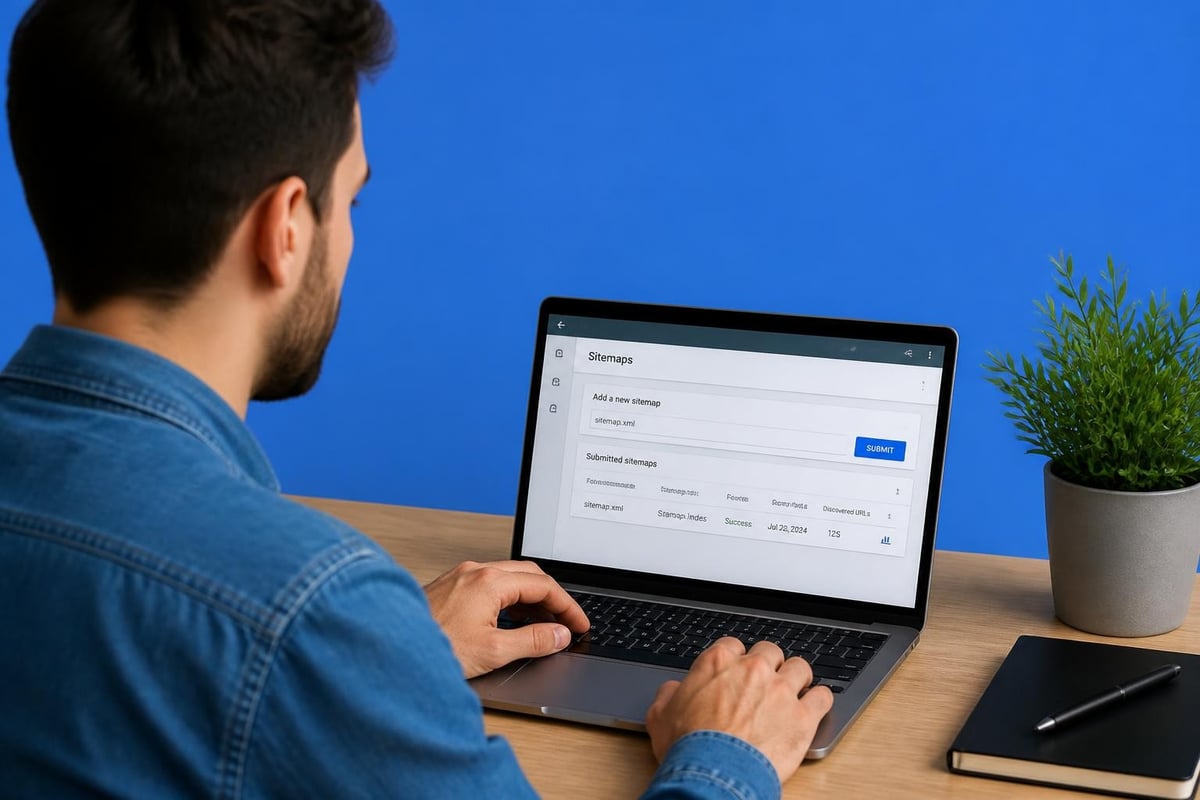
Once you have your sitemap URL (typically yourdomain.com/sitemap.xml), submit it through Search Console:
- Open Google Search Console
- Navigate to “Sitemaps” in the left menu
- Enter your sitemap URL in the provided field
- Click “Submit”
Google will begin processing your sitemap, which can take from a few hours to several days depending on your site’s size and authority. You can monitor the status and any errors directly in the Sitemaps report. For detailed guidance on this process, check out Google’s official documentation on getting indexed.
Optimizing Your Site for Faster Indexing
While submitting your site helps Google discover it, optimization determines how quickly and effectively your pages get indexed. Sites with strong technical foundations and quality content get crawled more frequently and rank better in search results.
Technical SEO Fundamentals
Your site’s technical health directly impacts Google’s ability to crawl and index your content efficiently:
- Fix broken links that waste crawl budget and create poor user experiences
- Implement proper URL structures that are clean, descriptive, and hierarchical
- Use HTTPS encryption as Google prioritizes secure sites
- Optimize page speed since faster sites get crawled more frequently
- Ensure mobile responsiveness as Google uses mobile-first indexing
Many businesses working to get their site on Google overlook these technical elements, but they form the foundation of search visibility. If you’re managing a WordPress site specifically, understanding WordPress SEO best practices can significantly accelerate your indexing and improve your rankings.
Content Quality and Relevance
Google’s algorithms have become sophisticated at evaluating content quality. Pages with thin, duplicate, or low-value content often get indexed slowly or not at all.
Focus on creating content that:
- Addresses real user questions and search intent
- Provides unique insights or perspectives
- Includes relevant keywords naturally (not stuffed)
- Uses proper heading structure (H1, H2, H3)
- Contains original images, videos, or other media
- Gets updated regularly to remain current
| Content Type | Indexing Priority | Update Frequency |
|---|---|---|
| Homepage | Highest | Weekly |
| Product/Service pages | High | Monthly |
| Blog posts | Medium-High | As needed |
| About/Contact pages | Medium | Quarterly |
Building Initial Backlinks and Authority
Google discovers new websites primarily through links from other sites, making your initial backlink profile important for getting your site on Google quickly. You don’t need hundreds of links immediately, but a few quality connections help establish credibility.
Strategic approaches for new sites:
- Submit to relevant business directories like Google Business Profile, Bing Places, and industry-specific listings
- Engage with local business communities to earn mentions and links from chamber of commerce sites
- Create social media profiles that link back to your website (though these are typically nofollow)
- Reach out to business partners who might naturally link to your services
- Guest post on industry blogs to gain exposure and quality backlinks
The key is focusing on relevance and quality over quantity. A single link from a trusted industry website carries more weight than dozens of links from random directories. Understanding the role of backlinks in building authority can help you develop a sustainable link-building strategy.
Local Business Considerations
For businesses serving specific geographic areas, local signals help you get your site on Google’s local search results more effectively:
- Complete your Google Business Profile with accurate NAP (name, address, phone)
- Ensure NAP consistency across all online directories and citations
- Collect customer reviews on Google and other relevant platforms
- Create location-specific content targeting local search terms
- Build local backlinks from community organizations, news sites, and local blogs
Using URL Inspection for Immediate Indexing
The URL Inspection tool in Google Search Console lets you request indexing for specific pages, which is especially useful for new or updated content you want indexed quickly. This direct submission method often results in faster indexing than waiting for Google’s normal crawl cycle.
How to use URL Inspection:
- Open Google Search Console
- Select “URL Inspection” from the left menu
- Enter the complete URL you want to check
- Review the indexing status
- Click “Request Indexing” if the page isn’t indexed
Google typically processes these requests within 24-48 hours, though high-priority pages might appear even faster. You’re limited in how many URLs you can submit daily, so prioritize your most important pages.
When to Use Manual Indexing Requests
Not every page requires immediate indexing attention. Focus manual requests on:
- Brand new pages with time-sensitive content
- Updated pages with significant content changes
- Important pages that haven’t been indexed after several days
- High-value landing pages for marketing campaigns
- Pages you’ve recently fixed technical issues on

Monitoring Your Indexing Progress
Tracking your indexing status helps you identify problems early and measure your visibility growth. Google Search Console provides several reports that show exactly how many pages are indexed, which ones have issues, and why certain pages might be excluded.
Key Metrics to Watch
The Coverage report in Search Console breaks down your pages into categories:
| Status | Meaning | Action Needed |
|---|---|---|
| Valid (indexed) | Pages successfully indexed | Monitor for changes |
| Valid with warnings | Indexed but with minor issues | Review and optimize |
| Error | Pages blocked from indexing | Fix immediately |
| Excluded | Intentionally not indexed | Verify if correct |
Check these metrics weekly for new sites and monthly once established. Sudden drops in indexed pages signal technical problems that need immediate attention.
Common Indexing Issues
When trying to get your site on Google, you might encounter several common obstacles:
- Blocked by robots.txt: Check your robots.txt file isn’t accidentally blocking important pages
- Noindex tags: Review your page source to ensure you haven’t added noindex meta tags
- Duplicate content: Consolidate or differentiate similar pages to avoid confusion
- Soft 404 errors: Pages returning 200 status but containing no content
- Server errors (5xx): Fix hosting issues preventing Google from accessing your site
- Crawl budget issues: Large sites might need optimization to prioritize important pages
Ahrefs provides an excellent guide on checking if your pages are indexed and resolving common indexing problems.
Accelerating Discovery Through Social Signals
While social media links don’t directly impact rankings, they help Google discover your content faster through increased visibility and sharing. Active social profiles also build brand recognition and drive direct traffic to your site.
Effective social media strategies for new websites:
- Share new content immediately on relevant platforms
- Engage with industry communities and discussions
- Use relevant hashtags to increase content reach
- Tag related businesses and influencers (when appropriate)
- Post consistently to build an audience over time
Different platforms serve different purposes. LinkedIn works well for B2B services, Instagram for visual businesses, and Facebook for local companies building community connections. Choose platforms where your target audience actively engages rather than trying to maintain presence everywhere.
Optimizing for Long-Term Search Visibility
Getting your site on Google is just the beginning – maintaining and improving your visibility requires ongoing effort. Search engines continuously evaluate your site’s relevance, quality, and user experience to determine rankings.
Content Development Strategy
Regular content creation signals to Google that your site is active and valuable:
- Publish blog posts addressing common customer questions
- Update existing pages with current information and fresh insights
- Expand thin content on pages that aren’t ranking well
- Add new service or product pages as your business grows
- Create resource guides that attract natural backlinks
Aim for quality over frequency. One well-researched, comprehensive article monthly outperforms several thin posts weekly. For businesses looking to scale their SEO efforts efficiently, exploring white label SEO services can provide expert content and optimization support without building an in-house team.
Technical Maintenance
Your site’s technical health requires regular attention:
- Monitor Core Web Vitals in Search Console for speed and user experience metrics
- Fix crawl errors as they appear in Coverage reports
- Update plugins and themes (especially for WordPress sites) to prevent security vulnerabilities
- Implement structured data (schema markup) to help Google understand your content better
- Check mobile usability regularly as Google prioritizes mobile-first indexing
HubSpot’s comprehensive guide walks through the complete process of submitting and maintaining your site’s Google presence.
Building Sustainable Rankings
Getting indexed is different from ranking well. Once Google knows your site exists, you need to demonstrate expertise, authority, and trustworthiness to rank for competitive keywords.
Focus areas for improved rankings:
- Keyword research: Identify terms your customers actually use when searching
- On-page optimization: Align your content with target keywords naturally
- User experience: Design pages that keep visitors engaged and satisfied
- Link building: Earn quality backlinks from relevant, authoritative sources
- Technical performance: Maintain fast load speeds and mobile-friendly design
For businesses in specific service areas, understanding local SEO strategies can help you dominate search results in your geographic market.
Tracking Results and Adjusting Strategy
Measure what matters to your business goals:
| Metric | What It Shows | Target Direction |
|---|---|---|
| Indexed pages | Google’s awareness of your content | Steady growth |
| Organic impressions | How often you appear in search | Increasing |
| Average position | Your typical ranking | Moving up |
| Click-through rate | How compelling your listings are | Above industry average |
| Organic traffic | Actual visitors from search | Growing consistently |
| Conversion rate | Visitors taking desired actions | Improving over time |
Review these metrics monthly and adjust your strategy based on what the data reveals. If impressions are high but clicks are low, improve your title tags and meta descriptions. If traffic is strong but conversions are weak, focus on landing page optimization and calls-to-action.
Advanced Techniques for Competitive Industries
In highly competitive niches, basic indexing isn’t enough – you need strategic advantages to get your site on Google’s first page. These advanced tactics help established sites maintain competitive edges.
Content Depth and Expertise
Google’s algorithms increasingly favor comprehensive, expert-level content:
- Create pillar pages covering topics exhaustively (2,000+ words)
- Link related content together in topic clusters
- Include original research, data, or case studies
- Feature expert contributions and quotes
- Add FAQ sections addressing related questions
- Use multimedia (videos, infographics, podcasts) to enrich content
Schema Markup Implementation
Structured data helps Google understand your content context and can earn rich results in search:
- Organization schema: Establishes your business identity
- Local business schema: Helps with local search visibility
- Product schema: Displays prices, reviews, and availability
- Article schema: Can earn featured snippets or top stories placement
- FAQ schema: Shows questions and answers directly in search results
- Review schema: Displays star ratings in search listings
Implementing schema markup can significantly improve your search presence, especially for local businesses using schema markup to enhance their visibility.
Avoiding Common Mistakes
Many site owners unknowingly sabotage their efforts to get their site on Google through preventable errors. Understanding these pitfalls helps you avoid setbacks and maintain steady progress.
Mistakes that delay or prevent indexing:
- Launching with noindex tags active: Always check that your site isn’t blocking search engines before going live
- Ignoring duplicate content: Multiple versions of pages (www vs non-www, HTTP vs HTTPS) confuse Google
- Using Flash or heavy JavaScript: Google struggles with content that requires complex rendering
- Hiding content with CSS or JavaScript: Cloaking techniques can trigger manual penalties
- Blocking CSS and JavaScript in robots.txt: Prevents Google from fully understanding your pages
- Publishing thin or duplicate content: Google may choose not to index low-quality pages
Double-check these issues before submission and regularly audit your site to catch problems early. Google’s video guide demonstrates how to determine if your site is properly indexed and troubleshoot common issues.
Getting Help with Professional SEO
While getting your site on Google is achievable for most website owners, maximizing your search visibility often requires specialized expertise. SEO encompasses technical optimization, content strategy, link building, and ongoing monitoring – each demanding specific skills and significant time investment.
Professional SEO services provide:
- Technical audits identifying issues you might miss
- Competitive analysis revealing opportunities in your market
- Content strategy aligned with actual search behavior
- Link building through established networks and relationships
- Ongoing optimization as algorithms and competitors evolve
- Detailed reporting showing clear ROI from SEO investments
Working with an experienced specialist ensures your site not only gets indexed but ranks competitively for terms that drive real business results. Understanding what to expect from comprehensive SEO services helps you evaluate potential partners and set realistic timelines for results.
Conclusion
Getting your site on Google successfully requires understanding how search engines discover, crawl, and index content, then implementing both technical optimizations and quality content strategies. While the basic process of submission through Google Search Console is straightforward, achieving strong rankings demands ongoing attention to technical health, content quality, and user experience. If you’re looking for expert guidance to accelerate your search visibility and drive meaningful business results, Cyrel P. Nicolas brings nearly 15 years of SEO experience helping businesses throughout the Philippines establish strong online presence through proven optimization strategies and comprehensive digital marketing support.